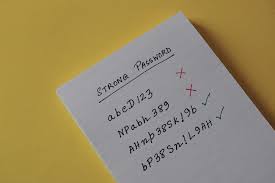
How To Create Strong Passwords
Creating strong passwords involves using a mix of characters, making them long, and avoiding obvious personal details. Strong passwords are the first line of defense for your online accounts, helping to prevent unauthorized access.
What Makes a Password Strong?
A strong password is like a very secure lock. It has many tumblers and is hard to pick. Hackers use special tools to guess passwords.
These tools try common words and patterns very fast. A strong password stops these tools in their tracks.
What makes a password tough? It’s a combination of things. It needs to be long.
It needs to be complex. It also needs to be unique for each account. These three things work together to make your password hard to crack.
Think about it like this. A password that is just “password123” is very weak. Almost everyone knows that one.
A hacker’s tool will guess it in seconds. It uses common words and a simple number pattern. This is what you want to avoid.
On the flip side, a password like “Tr33!H0us3_Bl@ck&Whit3” is much better. It uses letters, numbers, and symbols. It’s also quite long.
This makes it much harder for guessing tools.
The goal is to make your password so unique and complex that a hacker would need a very long time to guess it. We are talking years, not seconds or minutes. That’s the difference between a weak and a strong password.
My Password Story: The Near Miss
I remember one time, years ago, when I was less careful about my passwords. I used variations of my dog’s name. It seemed clever at the time.
“Buddy1,” “Buddy2,” and so on. I thought I was being smart. Then, I got an email.
It said someone tried to log into my old online gaming account. They used a similar guess to my password. Luckily, they didn’t get in.
But it scared me. I realized how easy it was for someone to guess my “unique” passwords. That day, I learned a big lesson.
I changed all my passwords. I started using better methods. It felt like a close call.
It showed me how important strong passwords truly are for everyone.
Password Strength Checklist
- Length: Aim for at least 12 characters. More is better.
- Mix: Use uppercase letters, lowercase letters, numbers, and symbols.
- Uniqueness: Never reuse passwords across different sites.
- Avoid Personal Info: Don’t use names, birthdays, or addresses.
- No Common Words: Skip dictionary words and simple patterns.
Why Length Matters Most
Many people focus on the mix of characters. They think using symbols and numbers is the only key. But length is often the most important factor.
A longer password gives hackers more possibilities to check. Each extra character makes the guessing process much harder.
Imagine you have a lock with only four digits. That’s 10,000 possible codes. Now imagine a lock with eight digits.
That’s 100 million possible codes. See how much harder that second lock is to pick? Passwords work the same way.
More characters mean more combinations.
Experts often suggest a minimum of 12 characters. Some even say 15 or more. If you can make your password longer, do it.
It’s a simple step that makes a huge difference. Don’t think you need to cram it full of symbols if it makes it hard to remember. A long, simple phrase can be very strong.
For example, a 15-character password made of random words is much stronger than a 10-character password with a mix of symbols. It might not look as “complex” to you. But to a computer trying to guess it, it’s a much tougher challenge.
Mixing It Up: The Character Blend
Once you have length, the next step is variety. Hackers’ tools often check for common patterns first. They try things like “password,” “123456,” or “qwerty.” They also try common word combinations.
Using a mix of character types helps defeat these basic attacks. This includes:
- Uppercase letters: (A, B, C)
- Lowercase letters: (a, b, c)
- Numbers: (0, 1, 2)
- Symbols: (!, @, #, $, %, ^, &, *)
When you add these different types, you increase the number of possible combinations for each spot in your password. So, if you have a password that is 12 characters long, and each character can be one of 26 lowercase letters, that’s already a lot of options. But if each character can be a lowercase letter, an uppercase letter, a number, or a symbol, the number of options explodes.
This variety is crucial. It stops simple guessing attacks. It forces hackers to try more combinations.
Remember, the goal is to make guessing take an extremely long time. The mix of characters is a key part of that.
Some people try to
Character Types Explained
Uppercase Letters
A, B, C.
Lowercase Letters
a, b, c.
Numbers
0, 1, 2.
Symbols
!, @, #.
Avoiding Personal Pitfalls
This is where many people stumble. We tend to like things that relate to us. But for passwords, this is a security risk.
Hackers can often find out personal details about you. This is through social media, public records, or even just knowing you.
Things to absolutely avoid:
- Your name (or variations)
- Your children’s names
- Your pet’s name
- Your birthday
- Your address or phone number
- Your favorite sports team
- Common words like “password” or “123456”
- Simple keyboard patterns like “asdfghjkl”
Why? Because hackers know this. They will try these guesses first.
They might look at your Facebook profile and see pictures of your dog, “Max.” Then they’ll try “Max123” or “MaxLovesBones.” It seems unfair, but it’s how they operate. The less they can find out about you to guess your password, the better.
Even if a password seems random, like “bluecar,” it’s still a common word. If a hacker tries common words and finds “bluecar,” they might get lucky. It’s better to avoid any word that exists in a dictionary.
Or at least, make it part of a longer phrase that is less predictable.
The safest passwords are those that seem like gibberish to anyone trying to guess them. They are random strings of characters. They don’t spell out anything meaningful.
They don’t relate to any personal information. This is the golden rule for password creation.
The Power of a Passphrase
One of the best ways to create a strong password that is also memorable is to use a passphrase. This is a sentence or a series of unrelated words strung together.
Let’s say you want to create a passphrase. Pick four or five random words. For example: “Tree,” “Cloud,” “River,” “Blue,” “Stone.”
Now, string them together. You can add some numbers or symbols if you like. You can also use capitalization.
Maybe you get something like: “TreeCloudRiverBlueStone.” That’s 20 characters! It’s very long.
To make it even stronger, you could add a number and a symbol. “TreeCloudRiverBlueStone9!” That’s 22 characters. This is incredibly strong.
It’s hard to guess, and it’s easier to remember because it’s based on words, even if they are random.
How do you pick random words? You can use a random word generator online. Or, you can just look around your room and pick objects.
“Lamp,” “Book,” “Chair,” “Window.” Then combine them. “LampBookChairWindow.”
The key is that the words are truly random and unrelated. This prevents hackers from guessing connections. They can’t use common phrases or meanings to crack it.
This method creates passwords that are both secure and manageable for us humans.
Passphrase Example
Step 1: Pick Random Words
Example: happy, dog, jump, park, sunny
Step 2: Combine Them
Example: happydogjumpparksunny
Step 3: Add Complexity (Optional)
Example: HappyD0g!JumpParkSunny7
The Password Manager Solution
Even with passphrases, remembering unique passwords for every online account can be tough. Most people have dozens, if not hundreds, of online accounts. Trying to create and remember a unique, strong password for each is nearly impossible for a human brain.
This is where password managers come in. They are like a secure vault for all your passwords. You only need to remember one strong “master password” for the manager itself.
The manager then generates and stores all your other complex passwords.
How they work:
- Generate: They create very strong, random passwords for you.
- Store: They keep these passwords safely encrypted.
- Auto-fill: They can automatically fill in your login details on websites.
This is a game-changer for online security. You don’t have to come up with weak passwords or reuse strong ones. The password manager handles all the heavy lifting.
You just need to protect your master password very carefully.
There are many reputable password managers available. Some are free, and some have monthly fees. They usually offer features like secure notes, credit card storage, and multi-device syncing.
For anyone serious about online security, a password manager is an essential tool. It allows you to have strong, unique passwords everywhere without the stress.
I personally use one. It’s made my online life so much easier and safer. I no longer have to reset passwords every other week.
I know my accounts are protected by unique, complex passwords that I don’t even have to think about.
Why Use a Password Manager?
| Feature | Benefit |
|---|---|
| Strong, Unique Passwords | Generates and stores complex passwords for every site. |
| Convenience | Auto-fills login forms, saving you time. |
| Enhanced Security | Reduces the risk of account takeover from reused passwords. |
| Master Password Security | Only one password to remember and protect. |
Understanding Password Hashing
You might wonder how websites store your password so you don’t have to re-enter it every time. They don’t store your password in plain text. That would be a huge security risk.
If their database was hacked, all your passwords would be exposed.
Instead, they use a process called “hashing.” Think of hashing like a one-way shredder. When you create a password, the website takes it and runs it through a complex mathematical function. This function turns your password into a long string of random characters.
This is called a “hash.”
When you log in, the website takes the password you enter, hashes it, and compares that new hash to the one they have stored. If they match, you’re in. If they don’t match, you’re locked out.
The crucial part is that you can’t easily turn a hash back into the original password. It’s a one-way street. Even if someone steals the database of hashes, they can’t easily see your actual passwords.
This protects your information if the website itself is compromised.
However, this is why having a strong password is still vital. If a hacker gets a list of hashes, they can still try to guess the original passwords that would create those hashes. This is called a “brute-force attack” or “dictionary attack” on the hashes.
The stronger and more random your password, the harder it is for them to find a match for your hash.
Some websites also add a “salt” to the password before hashing. A salt is a random piece of data added to each password. This makes each hash unique, even for the same password.
This makes pre-computed “rainbow tables” (lists of common password hashes) useless against their system.
What About Two-Factor Authentication (2FA)?
While strong passwords are your first line of defense, they aren’t the only tool you should use. Two-factor authentication (2FA) adds an extra layer of security. It’s like having two locks on your door instead of just one.
With 2FA, even if someone gets your password, they still can’t access your account. They would need a second piece of proof. This is typically something you have, like your phone.
Common types of second factors include:
- SMS Codes: A code is sent to your phone via text message.
- Authenticator Apps: Apps like Google Authenticator or Authy generate time-sensitive codes on your phone.
- Security Keys: Physical devices you plug into your computer or tap on your phone.
When you log in with 2FA enabled, after you enter your password, you’ll be asked for this second factor. For example, your phone might display a code you need to type in. Or you might get a prompt on your phone asking if you approve the login.
This is incredibly effective. If a hacker somehow gets your password, they still can’t get into your account unless they also have your phone or your security key. It significantly reduces the risk of account takeover.
Always enable 2FA whenever it’s offered by a service.
2FA vs. Password Strength
Strong Password
What it protects: Direct access attempts.
How it works: Makes guessing the secret code very difficult.
Two-Factor Authentication (2FA)
What it protects: Unauthorized access even if password is stolen.
How it works: Requires a second, separate proof of identity.
When to Worry: Signs of Weak Passwords
How do you know if your current passwords might be too weak? There are a few signs to watch out for. The most obvious is if you’re reusing passwords.
If you use the same password for your email, social media, and online banking, that’s a major risk.
If you’ve ever received an alert from a service saying your account may have been compromised, it’s a good sign to change related passwords immediately. Even if you didn’t get an alert, if you know of a data breach on a site where you have an account, you should update that password and any others that are similar.
Another sign is if your passwords are very short or easy to guess. Think about them. Do they contain your name?
Your pet’s name? Your birthday? If so, they are likely too weak.
They are easy targets for hackers.
Also, consider how you created them. Did you just type in a common word? Did you just add a few numbers at the end?
If the creation process was simple, the password is likely simple too. It’s always better to err on the side of caution. If you have doubts, create a new, stronger password.
Your online accounts hold a lot of sensitive information. They can include bank details, personal photos, private messages, and more. Protecting them with strong passwords should be a top priority.
It’s one of the easiest ways to significantly improve your digital safety.
Quick Fixes and Best Practices Summary
Let’s summarize the key takeaways for creating and managing strong passwords. These are practical steps you can take right now.
- Use a Password Manager: This is the single best step you can take. It handles generating and storing strong, unique passwords for all your accounts.
- Create a Strong Master Password: Your password manager’s master password needs to be very strong and memorable. Use the passphrase method here.
- Enable 2FA Everywhere: Turn on two-factor authentication on all services that offer it. This adds a critical extra layer of security.
- Make Passwords Long: Aim for at least 12 characters, but 15+ is even better. Length is king.
- Mix Character Types: Use a combination of uppercase letters, lowercase letters, numbers, and symbols.
- Avoid Personal Information: Never use your name, birthday, address, or pet’s name.
- Don’t Reuse Passwords: Each account needs its own unique password.
- Be Wary of Common Words: Avoid dictionary words, even if they are obscure.
- Update Regularly (but wisely): You don’t need to change every password every month if you’re using a password manager and 2FA. Change them if a breach is suspected or for highly sensitive accounts.
- Be Suspicious of Phishing: Never click on links in emails asking for your password.
These practices might seem like a lot at first. But once you set up a password manager and enable 2FA, it becomes second nature. The peace of mind knowing your accounts are much safer is well worth the initial effort.
Frequently Asked Questions
Is it okay to use a slight variation of a password for different sites?
No, it’s best not to. Even a slight variation can be guessed if a hacker compromises one site and tries similar patterns on others. Each password should be completely unique.
How often should I change my passwords?
For most accounts, if you use a strong, unique password and have 2FA enabled, you don’t need to change them frequently. Change passwords immediately if you suspect a compromise or if a service you use has a data breach. For very sensitive accounts, like banking, changing them annually is a good habit.
What is the difference between a password and a passphrase?
A password is typically a short string of characters. A passphrase is a longer phrase, often made of multiple unrelated words. Passphrases are generally considered stronger due to their length and randomness when created correctly.
Can hackers guess my password if it’s a long passphrase?
It is extremely difficult for hackers to guess a long, random passphrase. The longer and more random the passphrase, the exponentially harder it is to crack. The key is to ensure the words are truly unrelated and not common phrases.
Are free password managers safe?
Many free password managers are safe and offer good security. However, always choose well-known and reputable providers. Paid versions often offer more features and advanced security options.
Do your research on any provider you consider.
What happens if I forget my master password for my password manager?
This is a critical point. If you forget your master password, you will likely lose access to all your stored passwords. Reputable password managers have recovery options, but they are often designed to be very secure and may involve lengthy verification processes or potentially losing access if you can’t prove your identity.
Final Thoughts
Taking control of your password security is one of the most effective steps you can take to protect your digital life. By understanding what makes a password strong and using tools like password managers and 2FA, you can significantly reduce your risk. It’s about making smart, simple choices that add up to big security gains.